

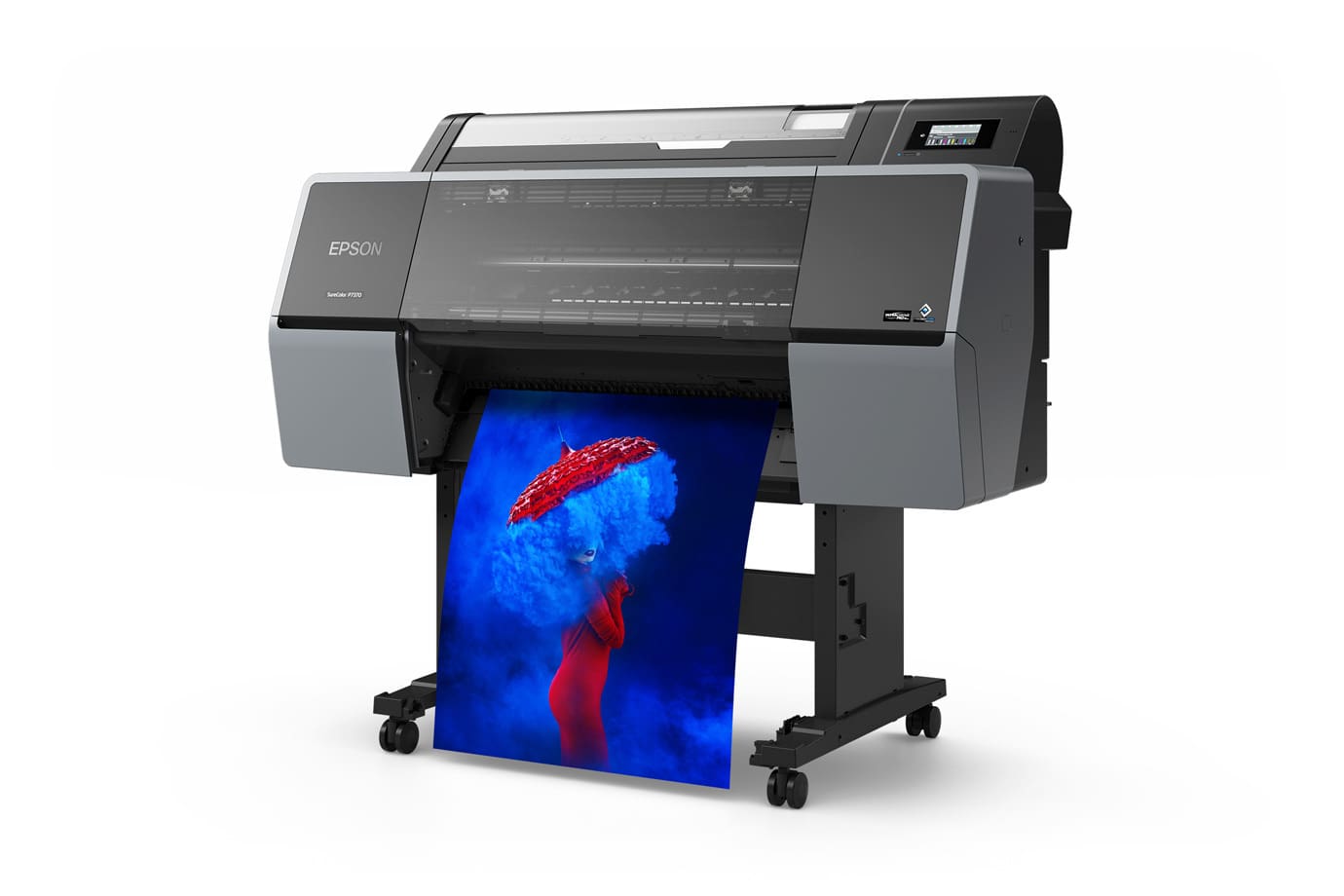
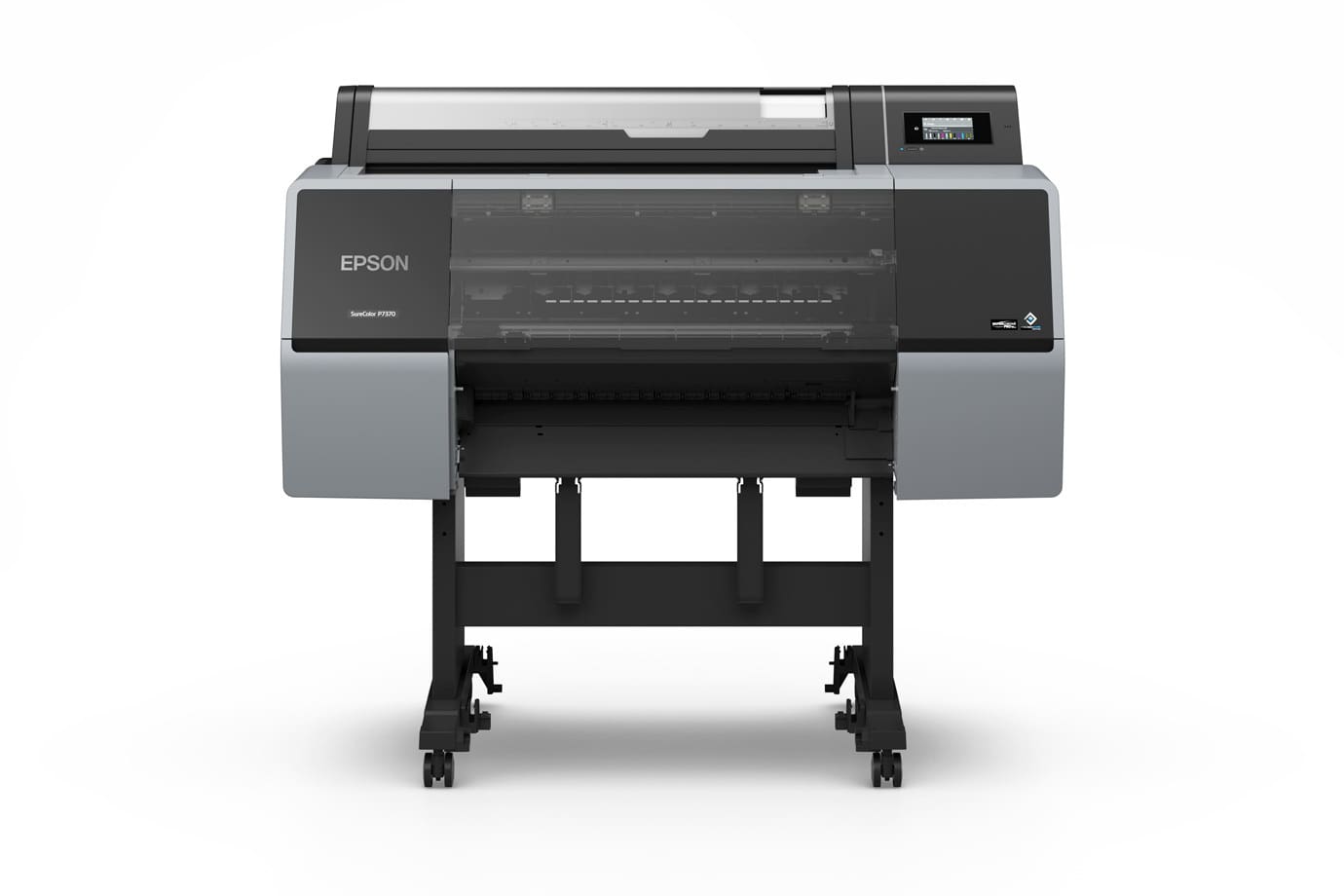

Description
Product Highlights
- 10-channel PrecisionCore Micro TFP printhead with 8,000 nozzles
- UltraChrome PRO10 ink with Violet for an extended color gamut
- Dedicated Photo Black and Matte Black channels, so no black-ink switching
- 4.3-inch color touchscreen, Hi-Speed USB 2.0 and Gigabit Ethernet
- Stand and paper catch basket included
Epson SureColor P7370 24-Inch Wide-Format Printer: overview
The Epson SureColor P7370 is a 24-inch, 10-color pigment printer for photographers, fine art studios, print labs and proofing departments. Its 2.64-inch PrecisionCore Micro TFP printhead has 8,000 nozzles (800 per channel) and prints at up to 2400 x 1200 dpi with a minimum droplet size of 3.5 pl. Because Photo Black and Matte Black each have their own channel, you can move between glossy and matte media without swapping blacks.
It uses Epson UltraChrome PRO10 ink: Cyan, Light Cyan, Vivid Magenta, Vivid Light Magenta, Yellow, Gray, Light Gray, Photo Black, Matte Black and Violet. The printer ships with a full set of 110 mL cartridges and accepts 150 mL, 350 mL and 700 mL retail cartridges. The stand, paper catch basket and two maintenance tanks come with the printer, along with Epson Print Layout, Epson Media Installer and access to Epson Cloud Solution PORT for remote fleet monitoring.
SureColor P7370 key specifications
| Print width | 24 in (roll and cut sheet; rigid board 0.8 to 1.5 mm) |
|---|---|
| Printhead | 10-channel PrecisionCore Micro TFP, 2.64 in, 8,000 nozzles (800 x 10) |
| Max resolution / droplet | 2400 x 1200 dpi / 3.5 pl |
| Ink | Epson UltraChrome PRO10 pigment, 10 colors incl. Violet, Photo Black and Matte Black |
| Ink cartridges | 110 mL in the box; retail 150 mL (T56X), 350 mL (T56S), 700 mL (T56N) |
| Speed (Epson spec, 23.4 x 33.1 in) | 2:02 Normal with Black Enhance Overcoat off; 4:04 with it on |
| Roll cores / max length | 2 in and 3 in cores; maximum printable roll length 708.66 in |
| Interfaces | Hi-Speed USB 2.0, Gigabit Ethernet; 4.3 in touchscreen |
| Weight / size | 262.35 lb without ink; 55.2 x 26.3 x 48 in with basket closed |
| Noise | About 49.5 dB(A) |
| Warranty | 1-year limited in the US and Canada; on-site repair is usually next business day |
What the SureColor P7370 is used for
- Fine art and giclee reproduction on cotton rag, canvas and baryta-style media
- Photographic portraits and exhibition prints on luster, glossy and semigloss paper
- Contract and hard proofs for graphic design and packaging
- Retail and POP posters up to 24 inches wide
Who buys the SureColor P7370 and what they print
Who buys it, from DTG’s sales and support work in Tampa: Epson SureColor P-series printers like the P7370 are bought by art publishers, fine art reproduction shops, giclee printers and artists; photographers (commercial, portrait, landscape and fine art); photo fulfillment shops and galleries; and commercial offset printers, ad agencies and corporate in-plant graphics departments that use them for color proofing.
What they print on: photo papers (luster, gloss, semigloss, semi-matte, fiber and baryta), artist canvas (gloss, matte and satin) and fine art papers (smooth and textured). Browse fine art and giclee media and photo media, or ask DTG which papers fit the P7370.
P7370 vs P7570 vs P6570: how to choose a 24-inch Epson P-series
All three are 24-inch Epson printers, and the practical difference starts with the ink set. The P6570 family uses six-color UltraChrome PRO6. The P7370 uses ten-color UltraChrome PRO10, adding Light Cyan, Vivid Light Magenta, Light Gray and Violet. The P7570 uses twelve-color UltraChrome PRO12, which adds Orange and Green to the PRO10 colors. If your customers buy high-end photography or fine art reproductions where a wider gamut matters, step up toward the PRO10 or PRO12 models. For portrait and general photo work, or for signage and POP at 24 inches, the P6570D, P6570DE and P6570E remain a good match. The P7370 is the same PRO10 ink family as the P5370 (17 inch) and the P9370 (44 inch).
Compare spec sheets on Epson’s site and call DTG at 656.232.1877 if you are choosing between these models.
Is the SureColor P7370 the right size? DTG’s advice
“Which size should I buy?” is the question DTG hears most before a sale. For most print businesses our answer is 44 inches wide: it is the sweet spot. The most common mistake we see is buying too narrow. Almost every customer who buys a 24-inch printer and succeeds with it ends up upgrading to 44 inches, so if you expect your print work to grow, size up now.
The P7370 is a 24-inch printer. If you are likely to grow, compare the 44-inch SureColor P9570, P9370 and P8570D.
Before you buy, DTG walks you through cost per print and cost per square foot for the work you plan to do. Call a print specialist at 656.232.1877.
Ink, media, software and service for the SureColor P7370
- Ink: Epson ink for the P7370 is sold as UltraChrome PRO10 cartridges in three sizes: T56N 700 mL Photo Black, T56S 350 mL Photo Black and T56X 150 mL Photo Black. Each size is available in all ten colors.
- Media: Epson Premium Luster Photo Paper 24 in, Enhanced Matte Paper 24 in, Hot Press Natural 24 in and Standard Proofing Paper II 24 in. See all Epson media, fine art and giclee media and photo media.
- RIP software: the Mirage Master Edition for Epson product page lists the SureColor P5xxx, P6xxx, P7xxx, P8xxx and P9xxx families among supported printers; ask DTG to confirm your exact model before ordering. Other options are under RIP software (ONYX, ImagePrint, EFI Fiery XF).
- Color management: spectrophotometers, profiling systems and DTG’s ICC profile library help you match prints to your display and proof.
- Custom ICC profiles: free custom ICC profiles from DTG for customers who buy the P7370 from DTG, built for your papers; call DTG at 656.232.1877 for details.
- Optional hardware: 320 GB internal hard drive, PostScript module, additional roll adapters, replacement borderless pad kit and maintenance cleaning sticks.
- Service: Epson Preferred Plus extended service plans are available for the P7370 at time of hardware purchase (1-year, 2-year and 4-year); plan terms are set by Epson. Browse more under warranties and service plans.
- Epson drivers, manuals and support for the P7370
- Epson US product page for the P7370
What DTG does after the sale
Buy your SureColor P7370 from DTG (Digital Technology Group) at the DTG Technology Center in Tampa, FL, and you get more than a box:
- Installation and training: available for every printer DTG sells (for a fee).
- Tech support: free toll-free tech support from DTG.
- Custom ICC profiles: free custom ICC profiles from DTG, built for your P7370 and the papers you use.
- Color management expertise from DTG’s print specialists.
- Ink, media and support available from DTG.
- More than 30 years of digital printing expertise.
Call a print specialist at 656.232.1877 or contact us online.
SureColor P7370 FAQ
What is the maximum print width of the Epson SureColor P7370?
The P7370 prints rolls and cut sheets up to 24 inches wide. Epson also lists support for rigid boards from 0.8 to 1.5 mm thick.
What ink does the Epson P7370 use?
It uses Epson UltraChrome PRO10 pigment ink in ten colors: Cyan, Light Cyan, Vivid Magenta, Vivid Light Magenta, Yellow, Gray, Light Gray, Photo Black, Matte Black and Violet. Retail cartridges come in 150 mL, 350 mL and 700 mL sizes.
Does the P7370 need black-ink switching?
No. Photo Black and Matte Black are dedicated channels, so you can change between glossy and matte media without swapping blacks.
Is a stand included with the SureColor P7370?
Yes. Epson lists the stand and paper catch basket as included, along with two maintenance tanks.
Where do I buy the Epson P7370 near Tampa, Florida?
Digital Technology Group (DTG) is based in Tampa, FL. Call 656.232.1877 or use the contact page with your questions about the P7370, ink, media and service plans.
Is the 24-inch P7370 the right size, or should I buy a 44-inch printer?
The P7370 prints up to 24 inches wide. For most print businesses DTG recommends 44 inches, the sweet spot, and almost every customer who buys a 24-inch printer and succeeds with it ends up upgrading to 44 inches. Call 656.232.1877 and DTG will work through cost per print and cost per square foot for your work.
Is the 10-color ink set on the P7370 right for my work?
It depends on what you print. The P7370 uses 10-color Epson UltraChrome PRO10 pigment ink. Epson’s current P-series ink sets are 6-color PRO6 (P6570 and P8570 families), 10-color PRO10 (P700, P900, P5370, P7370 and P9370) and 12-color PRO12 (P7570, P9570 and P20570). Tell a DTG print specialist what you print and we will recommend the right ink set.
What papers and canvas do DTG customers print on with the P7370?
P-series customers at DTG print on photo papers (luster, gloss, semigloss, semi-matte, fiber and baryta), artist canvas (gloss, matte and satin) and fine art papers (smooth and textured). Ask DTG which papers and sizes fit the P7370.
What does DTG provide after I buy a P7370?
Installation and training are available for every printer DTG sells, for a fee. Tech support on DTG’s toll-free line is free, and DTG builds free custom ICC profiles for customers who buy a P-series printer from DTG. You also get DTG’s color management expertise and more than 30 years of digital printing experience.
Does DTG make custom ICC profiles for the Epson SureColor P7370?
Yes. DTG builds free custom ICC profiles for customers who buy the P7370 from DTG, matched to your papers and workflow. Call DTG in Tampa at 656.232.1877 for details.
Is the P7370 good enough, or do I need the P7570?
It depends on who you print for. For consumer-grade photography or artwork, DTG finds the 10-color P7370 is plenty. If you print for professional photographers or artists, the wider color gamut of the 12-color P7570 is a must: its Epson UltraChrome PRO12 ink adds Orange and Green to the ten colors the P7370 uses. And if you run a print service, your competition is printing on the best equipment, so you need the best too. The same advice applies at 44 inches to the P9370 and P9570. Call DTG at 656.232.1877 to talk through your work.
Can I use the P7370 for color proofing?
Yes. For proofing, DTG recommends the P7370/P9370 or P7570/P9570 platform, which offers a wider gamut for Pantone colors and the most accurate proofs. For the most demanding proofing work, DTG’s gold standard is the P9570 with Epson’s optional in-line 44-inch SpectroProofer UVS. Epson lists the SpectroProofer for the P7570 and P9570, not the P7370. DTG does not recommend the P6570 or P8570 family for proofing.
How many prints will I get from the starter ink that comes with my printer?
It depends on what you print, since some colors run out faster than others. Light Black (gray) usually goes first, because it’s used across the whole tonal range, even in color prints. The wide-gamut colors last longer, depending on your files. From our installs here at DTG, plan on about 10 to 15 24×36″ prints before you need a new Light Black cartridge. If you print every day or every other day, buy a full ink set with your printer or soon after.
How much maintenance does a SureColor P- or T-series printer need?
Very little. You’ll change ink, load paper and replace the maintenance tank. We recommend cleaning around the capping station and printhead area about every 6 months. Do it a little more or less often depending on how much you print.
Why is my print a slightly different size than my file?
Print length can vary a little depending on your media and settings. Our video with Mirage on print length correction shows why it happens and how to fix it.
Questions about the SureColor P7370? Call DTG in Tampa, FL at 656.232.1877 or contact us online.
Proof before you print: a calibrated monitor helps your screen predict the print. See Choosing an Eizo ColorEdge for Photo and Fine-Art Print Proofing, Eizo ColorEdge CG vs CS, and Color-Accurate Monitors for Fine Art Reproduction, or browse Eizo monitors.
 Epson SureColor P7370 Printer Spec.pdf


