


Description
What’s New in Version 5?
1. Print templates
2. Template Editor
3. Free layout of files on the spread
4. Clear program interface
5. Improved print preview
6. File & Templates browser
7. Multiple print jobs at the same time
8. “Undo/Redo” function
9. Improved handling/placement of embedded logos
10. New tools for image editing
11. New print mode “Only Black Ink”
12. Settings option “Simulation”
13. Additional print marks
14. Support for current operating systems
Still includes these Legacy features!
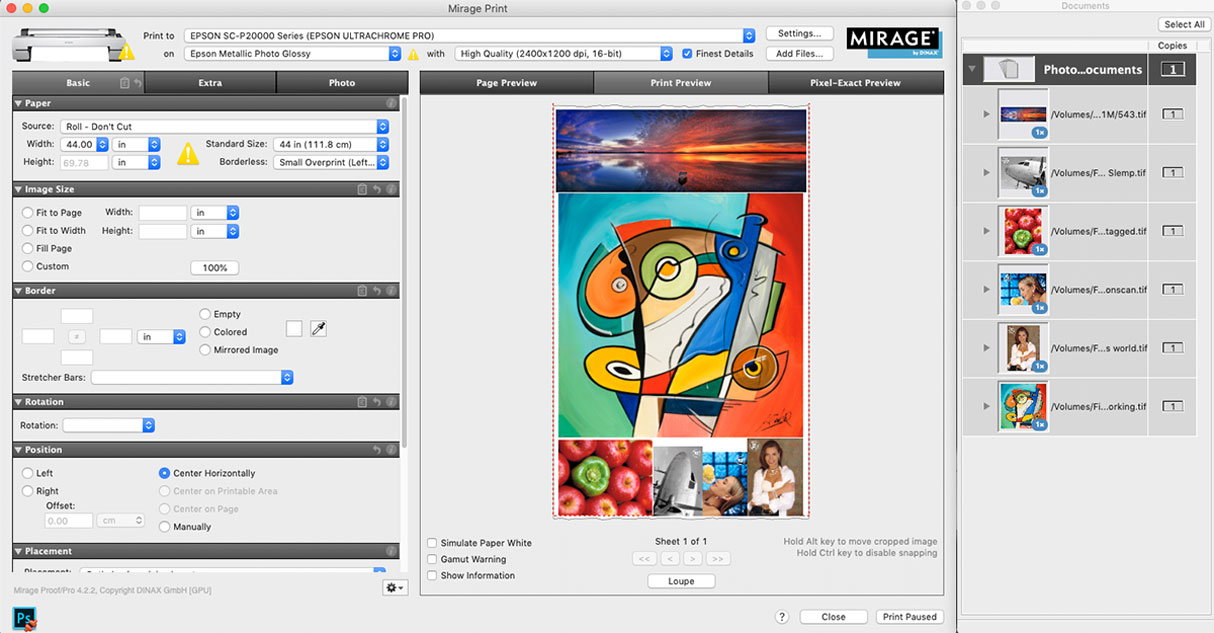
Auto Nesting – Drag & drop files and Mirage auto arranges them accross your paper width to best save media.
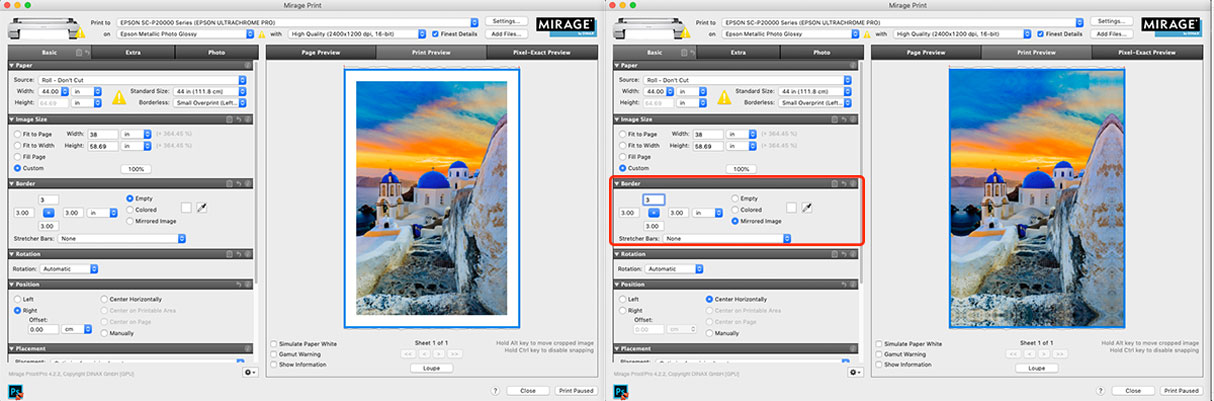
With the Border Feature, create gallery wrap files with a click of a button for fast and easy canvas printing.
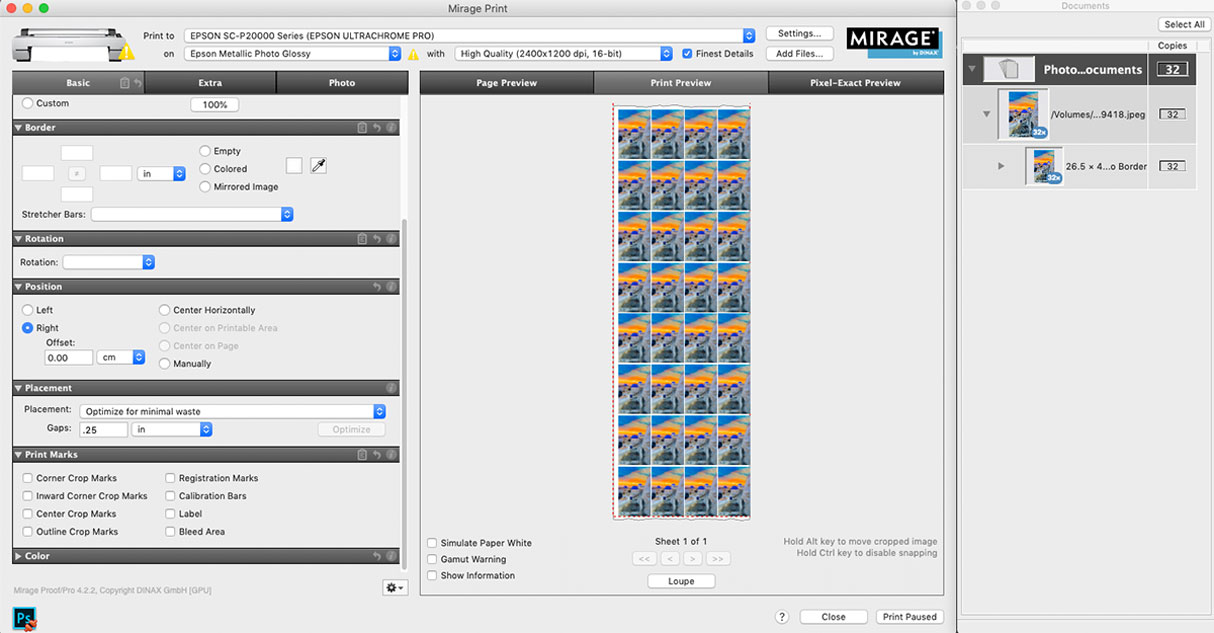
Add as many copies as you would like and Mirage will automatically arrange and rotate if necessary for optimal media usage.
1. Image editing directly in Mirage 4.0
2. User-friendly settings dialog
3. Adjustment of image sharpness
4. Full 16-bit support of print data
5. The new Loupe” zoom function
6. Pixel-accurate print preview
7. Support of Photoshop filters
8. Faster print preview
9. Real 64-bit structure even on Mac
10. Improved workflow for droplets
11. Optimized print dialog
12. Support of additional PRO add-on measurement modes
13. Chroma Optimizer selection for Canon PRO printers
14. Loading of custom media
15. Full support of LAB color space
16. macOS High Sierra, Adobe CC 2018, and many more supported
Print and cut: add the Mirage Cut-Extension to drive Graphtec CE8000 series cutters (requires a Mirage 2026 license).